

Let's Improve Communication
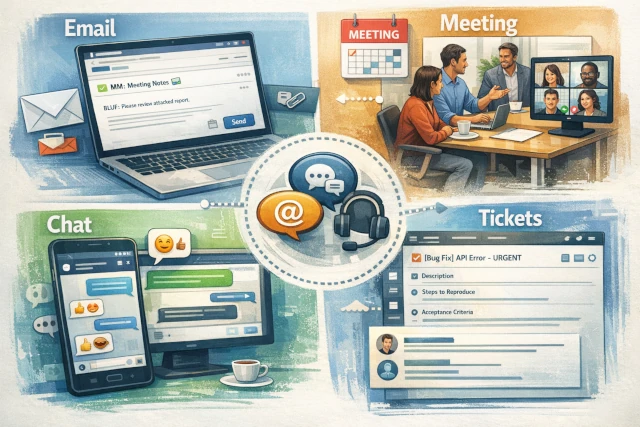
In this article, I focus on the most commonly used forms of communication during development: chat, email, meetings (online and in-person), and tickets. Yes, these are the channels we use most to communicate with our colleagues today—especially when working remotely.
Basics: Metacommunication
I’ve found that in each of the areas listed above, there are small things that, if used consistently, allow information to pass through much more effectively. Metacommunication is secondary communication about how a piece of information should be interpreted.
Take irony, for example. Children often don’t understand it because they focus purely on the literal written or spoken form of the information. They can’t yet correctly interpret visual cues or tone/intonation. If adults lose this info, the result is the same.
That’s why it’s important to try to convey these “ingredients” as much as possible.
Email 📧
This form may seem outdated to many, but it has its place and legitimacy. That’s not the point, though; I don’t want to write about that now.
The subject line of an email should be short and descriptive, referring to the content. You can use emojis (max 1-2 recommended) to make it stand out among other emails. You can include markers in the subject to help categorize the email:
- MM -> meeting minutes: a summary of a meeting
- EOM -> end of message: the subject line is the entire content, no further text (don’t open it)
- EOD -> end of day: an extra indicator that it should be done by the end of the day (important)
The body should be well-organized and structured, making it easier to read and less tiring for the eyes. You can use colors and highlights for structure, but don’t overdo it—stick to 2-3 selected formats.
You can also use the BLUF (bottom line up-front) expression in the first line of the letter. This is a strictly one-line summary of the most important conclusion you intend to elaborate on in the email.
In the business world, it’s expected, but in all areas, using (correct) greetings and closings expresses courtesy. If you’re already several exchanges deep responding to the same email, this can be omitted.
Use email when you want to communicate a longer message or send attachments. Writing it gives you time for correct (re)phrasing. Keep in mind that this might not be the other party’s primary form of communication, so if a response is urgent, let them know through another channel that you’ve sent an email for them to read as soon as possible.
Meetings 🗣️👤
A meeting can be in-person, online, or hybrid. The following principles generally apply to all:
- have a scheduled start time and stick to it (respect)
- don’t make it too long (max 60 minutes), as participants get tired
- only cover pre-announced topics; these should be provided in advance
- stick to the timeframe; 5 minutes before the end, signal to the team if it might run over and ask for permission to extend (respect)
- only invite necessary people (respect)
In-person meetings are unique because everyone is present and we can see each other. This makes them the most effective for understanding (information transfer). Here, no one can hide or deal with something else because they don’t have the opportunity. This also increases efficiency.
Usually, the meeting organizer is the moderator—exercise this right, steer the discussion back in the right direction, maintain a consistently good professional atmosphere, and prevent personal attacks. Call on everyone to let them state their opinion.
Online meetings should also be led as described above. Here, make sure everyone turns on their camera, as it helps notice if someone doesn’t understand something. A vital part of the information can be lost if we don’t see each other. Unfortunately, mandatory camera use isn’t obvious nowadays, even though it used to be. 🙁
Chat 🗨️
Undoubtedly, this is the fastest and most widespread form today.
Addressing people is important here too, just like in emails. It gives you the opportunity to express respect for your colleague, create a good atmosphere right from the start, and provide some information about your current situation. The use of emojis is completely common here—use them. However, it’s important that your phrasing is accurate, because just using emojis won’t make your message clearer. If some information is missing, it’s not there. It must be written down.
Tickets 🎫
Ticketing systems also contribute their part to working as efficiently as possible. A ticket has three main parts: title, task description, and comment section. It might seem basic, but I’ll describe how to use the first two.
Title: should be short and to the point. It can include various details, for example, technology, component, customer name, version, task type (add, remove, update, etc.). If you work in a well-structured environment, develop a nomenclature for this; it will speed up the creation of new tickets and help you navigate your tasks.
Task Description: essentially the core part of the ticket. All relevant technical and technological details should go here. The better it’s structured, the easier it is to overview, discuss, and refer to specific parts in the comments. I suggest structuring it like this:
- Current state + what does this ticket solve? (optional)
- Technical details; all details that make the task clear for any team member
- How to test the solution (aka acceptance criteria)
I’ve seen some teams that used the comment section almost like a chat to discuss technical questions among themselves. There were also teams that didn’t use it for anything at all.
Use it! 👍 A significant advantage is that you don’t have to piece together every opinion and counter-opinion from chats and emails; instead, they’re written directly into the given ticket, making it fast.
Make sure it’s concise and to the point. When a conclusion is reached from a long conversation, it should be moved back into the task description part of the ticket. This is a signal to the team about what the final decision was, and it cleans up and brings the conversation results into a technical form while being rewritten.
Conclusion
Apply the above, and your communication efficiency will jump overnight. Despite electronic communication, we must strive to deliver our messages effectively. In fact, it might be even more important today in the vast digital noise, artificial intelligence notwithstanding.